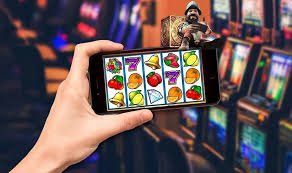
App Now Available

Download the Zeta9 App — Play Anytime, Anywhere on Android & iOS

No need to sit in front of a computer. Install the Zeta9 app on your phone and enjoy your games on the bus, at the office, or at home — wherever you like.

5 MB
App Size (Android)
4.8★
User Rating
1 Minute
Install Time
500+
Games on Mobile

Choose the Right Version of Zeta9 for Your Device

Android, iOS, or straight from your browser — Zeta9 works great on all three.

Android App

Android users can download the APK file directly and install it with ease. You'll find the full step-by-step guide for installing outside the Google Play Store right on the Zeta9 site.

Android 6.0+ APK File ~5 MB
Get it on Android

IOS App

IPhone and iPad users can easily set up the Zeta9 app. Open the site in Safari and add it to your home screen — it works just like a real app.

iOS 13+ PWA Support Lightweight Size
Get it on iOS

Web Browser

You can use Zeta9 without downloading anything. Just open the site in any browser to access all games and features — no extras needed.

Chrome Firefox Safari
Open in Browser
zeta9

How to Install the Zeta9 APK on Your Android Phone

Installing an APK for the first time can feel a bit daunting, but it's actually very straightforward — just follow the steps below and you'll be set in no time.

To install an app from outside the Google Play Store, you need to make a small change in your phone's settings. This is completely safe, and Zeta9's APK file is clean and verified.

1

Open Phone Settings

Go to Settings > Security or Privacy. Enable "Unknown Sources" or "Install Unknown Apps".

2

Visit the Zeta9 Site

Open the Zeta9 download page in your phone's browser and tap the Android APK button.

3

Download APK File

The file will be saved to your phone's Downloads folder. It's only about 5 MB, so it won't take long.

4

Install from File Manager

Go to your Downloads folder and tap the Zeta9 APK file. Hit the Install button — it'll be done in seconds.

5

Open and Log In

After installation, the Zeta9 icon will appear on your home screen. Tap it, log in, and start playing.

zeta9

Safe APK

The Zeta9 APK file is regularly scanned. There is no risk of malware or viruses.

Auto Update

If a new version is available, the app will let you know automatically when you open it. No need to check manually.

Low Battery Consumption

The Zeta9 app is lightweight. Even during long gaming sessions, it won't drain your battery quickly.

Low Data Usage

No worries if you're playing on mobile data. The Zeta9 app works great in data-saving mode.

zeta9

How to Use Zeta9 on iPhone or iPad

Apple devices don't support third-party APK installs directly, but that's not a problem. Zeta9 supports PWA (Progressive Web App), which works just like a native app.

With PWA, you open the Zeta9 site in Safari and add it to your home screen. It appears as its own app icon, and the next time you tap it, Zeta9 opens in full screen — just like a native app.

1

Open Safari

Visit the Zeta9 site using Safari on your iPhone or iPad. This feature may not work in Chrome or other browsers.

2

Tap the Share Button

Tap the share icon (a square with an arrow) at the top or bottom of your screen.

3

Select "Add to Home Screen"

Tap "Add to Home Screen" from the menu. Rename it if you'd like, then tap the Add button.

4

Open from Home Screen

The Zeta9 icon will now live on your home screen. Tap it anytime and it opens just like an app.

Tips: PWA works best on iOS 16 or later. If you're on an older version, updating is recommended.

Zeta9 App vs. Browser — Which Is Better?

Both are great, but there are some differences. Pick whichever works best for you.

Features Zeta9 App Browser
Loading Speed ✔ Faster Standard
Push Notifications ✔ Available ✘ None
Home Screen Shortcut ✔ Yes Limited
Installation Required Yes (Easy) ✔ Not Required
Works on All Devices Android/iOS ✔ All Devices
Offline Support ✔ Partial ✘ None
Number of Games ✔ All Games ✔ All Games
Security ✔ Encrypted ✔ HTTPS

Why Download the Zeta9 App?

Zeta9 works well in the browser too, but the app takes the experience to another level. App users get certain exclusive benefits that simply aren't available on the browser.

For regular Zeta9 players in particular, the app becomes a true companion. Get notified when new games drop, never miss a bonus offer, and enjoy instant access anytime.

Instant push notifications for new games and promotions
Faster loading and smoother gameplay compared to the browser
One tap from your home screen to jump straight in
Login details are saved — no need to re-enter your password every time
Full-screen gaming experience — no browser bar in the way
App-exclusive bonuses and offers available from time to time

Never Miss a Thing

With push notifications enabled on the Zeta9 app, you'll instantly hear about tournaments, free spins, and special offers. Browser users often miss out on these opportunities.

Speed & Stability

Once the app is cached, it loads even faster on return visits. Games buffer less on a weak connection — a real advantage when you're on mobile data.

Secure & Private

Your account data is encrypted in the Zeta9 app. Nothing is saved to your browser history, so your privacy stays better protected.

What Device Do I Need to Run the Zeta9 App?

The Zeta9 app is built to run smoothly on all types of phones. No need for a high-end device — it runs great on everyday mid-range Android phones too.

That said, meeting a few minimum specs will give you the best experience. See the details below.

Android

Android 6.0 (Marshmallow) or later. Minimum 1 GB RAM. 50 MB free storage. Stable internet connection.

iOS (iPhone)

IOS 13 or later. iPhone 7 or newer. Safari is required for PWA.

Internet

A minimum 3G connection will do, but 4G or WiFi gives you the smoothest gameplay.

Desktop

Play directly in your browser using Chrome, Firefox, or Edge on any OS — Windows, Mac, or Linux.

zeta9

What You Get with the Zeta9 Mobile App

All the power of desktop, now in your pocket.

Full Game Lobby

Slots, Live Casino, Sports Betting, Fish Games, and more — over 500 games available, all in the app.

Fast Deposits & Withdrawals

Deposit directly from the app and withdraw your winnings when you're ready. All payment methods supported, including Mobile Banking and Nagad.

Live Customer Support

Use the in-app live chat to get instant help with any issue.

Promotions & Bonuses

All active Zeta9 offers are visible directly in the app. You'll also get notifications whenever new bonuses arrive.

Live Scores & Bet Tracking

View live Sports Betting scores and real-time updates on your bets, all within the app.

Dark Mode Support

Want to play at night? Switch on dark mode to reduce eye strain and enhance your experience.

Install the Zeta9 app today to get all these features in one place.

Android APK iOS PWA Web Browser 100% Secure Available in Bengali

Common Questions About Downloading

Everything you need to know about downloading and installing the Zeta9 app.

Yes, downloading and installing the Zeta9 app is completely free. There are no charges for the download itself. A deposit may be required to play real-money games, but you can also play in demo mode at no cost.

Enabling Unknown Sources is safe when downloading APKs from a trusted source like Zeta9. You can turn the setting back off after installation if you prefer. Never download APKs from unknown sites — only use the official Zeta9 site.

No, you don't need a separate account. Just log in to the app with your existing Zeta9 account — your wallet balance, bonuses, and everything else will carry over. If you're new, you can register directly within the app.

When a new version is available, Zeta9 will notify you automatically when you open the app. Just tap the update button and the latest APK will download and install. Your data and account details won't be affected.

Yes, you can log in to your Zeta9 account across your phone, tablet, and computer — all three devices. Any deposit made on one device will instantly reflect on the others.

Zeta9 is not currently available on the App Store or Google Play Store. For Android, you'll need to download the APK directly; for iOS, add it to your home screen as a PWA via Safari. This is the most reliable method available right now.

Download the Zeta9 App Now and Claim Your Bonus on Your First Login

Register, install the app, and start playing today — it only takes a few minutes.

বাংলা